Study Desk Layout: Where Everything Goes
A clear plan for laying out a study desk: where the screen, keyboard and light should sit, the measurements that matter, and how to fit a small room.
A study desk works best when you lay it out in a set order. The screen comes first, then the keyboard and mouse, then everything else arranged around them, and the whole desk sits where the light and the power already are. Get the order right and your neck, shoulders and wrists have far less to complain about after a long evening. Here is where each part goes, with the measurements that actually matter and a plan for a small room at the end.

Start with where the desk goes
Before anything sits on the desk, decide where the desk sits in the room. Three things pull on that choice: daylight, power and quiet. A window on one side gives you good light without throwing glare across the screen, which is the arrangement we come back to in the lighting section. A power point within a metre saves you trailing an extension lead across the floor. A spot away from the doorway and, in a bedroom, a little distance from the bed helps you treat the desk as the place you work rather than a shelf by the pillow.
Leave yourself room to move as well as to sit. You want enough clear floor to pull the chair back and stand up without hitting a wardrobe or the bed frame. Mark the desk's footprint on the floor with masking tape before you commit, so the layout is real rather than hopeful.
Set the screen first
The screen decides where your head and neck spend the day, so place it before the keyboard. Sit back in your chair, relax, and look straight ahead. OSHA's workstation guidance puts the top of the monitor at or slightly below eye level, with the centre of the screen about 15 to 20 degrees below horizontal eye level. That lets your eyes drop a little to the middle of the screen while your head stays level.
Distance matters as much as height. The same OSHA guidance sets a preferred viewing distance of 50 to 100 cm, roughly 20 to 40 inches, from your eyes to the front of the screen. Canada's CCOHS suggests the monitor should still be about an arm's length from your body, with the screen about 15 degrees below the horizontal. Stretch out your arm, and your fingertips should nearly touch the screen.
A laptop breaks both rules at once, because the screen and keyboard are joined and one of them is always in the wrong place. Raise the laptop on a stand and add a separate keyboard, or run an external monitor and push the laptop to one side. Our guide to how high a monitor stand should be walks through the heights. Tilt the screen back slightly so its face is square to your eyes.
Then the keyboard and mouse
With the screen set, bring the keyboard to where your hands already fall. Let your shoulders drop and your upper arms hang at your sides. OSHA's seated working positions keep the elbows close to the body and bent between 90 and 120 degrees, with the hands, wrists and forearms straight and roughly parallel to the floor. Set the keyboard height to meet that, not the other way around.
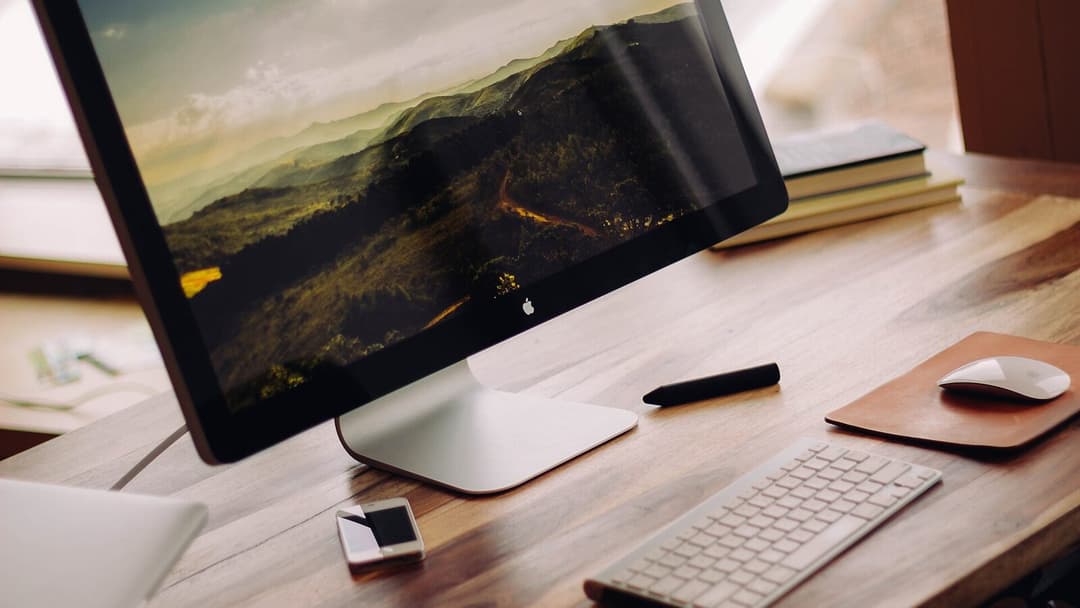

Put the keyboard squarely in front of you, centred on the screen, and the mouse right beside it at the same height so your hand slides across rather than reaching out. If a fixed desk is a touch too high and your shoulders creep up, a height-adjustable desk lets you set the surface to your elbows instead of perching on a cushion. You can work out your own number with our desk height calculator or read the standing desk height guide.
Give the surface three zones
Once the screen and keyboard are placed, treat the rest of the desktop as three rings around them. OSHA's desk guidance keeps the things you use all the time, the keyboard, mouse and phone, in the primary work zone, close enough to reach without stretching. That is the inner ring.


The middle ring holds what you reach for a few times an hour: a notebook, a pen, a glass of water, your headphones on a stand. The outer ring, pushed to the back or off the desk entirely, is for things you rarely touch during a task, such as textbooks, chargers and the printer. A 120 by 60 cm surface, the size of our own desk, gives room for all three rings without the keyboard sliding into the clutter.
Light the desk without glare
Daylight is the kindest light to study by, but only if it falls the right way. Put the desk so the window is to one side of you. A window directly behind the screen turns the monitor into a dark silhouette, and a window directly behind you throws its reflection onto the glass. Side light avoids both.

After dark, add a desk lamp on the opposite side to your writing hand, so your hand does not cast a shadow over the page. Angle it at the paper and the desk rather than at the screen, so no bright pool bounces back into your eyes. For how bright and what colour to choose, see our guide to study desk lighting.
Make room to sit and to stand
A sit-stand desk changes the layout in a useful way. When the whole top rises, the screen and keyboard rise with it, so the relationships you just set still hold as long as you match the standing height to your standing elbows. The Vival Desk travels from 72 to 120 cm on a dual-motor frame with three one-touch presets, so you save a seated height and a standing height and move between them with a single press. S$289 with code VIVAL60 (list S$349)
Whichever height you work at, keep the floor under the desk clear. OSHA's desk guidance asks for leg clearance of about 50 to 72 cm high under the top, with no boxes or towers crowding your knees. We did not set out to sell this desk at first; it began as an in-house fix for our own technicians' back strain, which is why the height range and the clear underside came before the looks.
A layout for a small Singapore room
In a compact HDB bedroom, the desk usually lives along a wall, ideally beside the window, with just enough room to draw the chair out behind it. Depth is the measurement people get wrong. OSHA's desk guidance wants enough surface depth to view the monitor at least 50 cm away, and a 60 cm deep top gives you that with a little room at the back for cables rather than for the screen to crowd your face.
The same 120 by 60 cm top holds a single or a dual-monitor setup without overhang in a typical nook, and it arrives flat-packed. Most people put it together in about 30 to 45 minutes, and one person can manage, though the large top is easier to flip with a second pair of hands. If you are still choosing the table itself rather than arranging it, start with our guide to a study table that fits an HDB room.
Lay a study desk out in that order, screen, keyboard, zones, light, and the room arranges itself around the work instead of the other way round.